
XSLT 1.0 · XPath 1.0 · EXSLT
Keep your XSLT running when browsers drop it
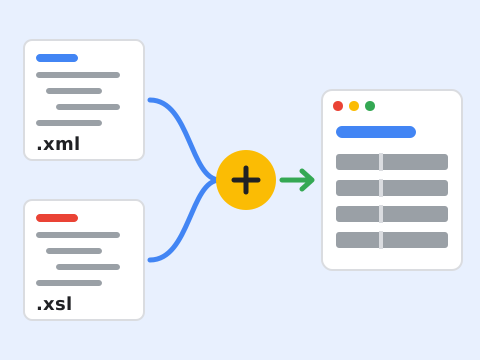
JavaScript implementation of XSLTProcessor for browser environments and Node.js CLI. This package provides a complete implementation of the W3C XSLTProcessor API that can be used as a drop-in replacement for the native browser implementation.
npm install @tradik/xslt-processor
Why now
Chrome and other browsers are deprecating native XSLTProcessor support:
- Chrome 143+: XSLTProcessor starts showing deprecation warnings
- Chrome 164 (August 2027): Full removal of native XSLT support
This library ensures your XSLT-based applications continue to work regardless of browser support.
What you get
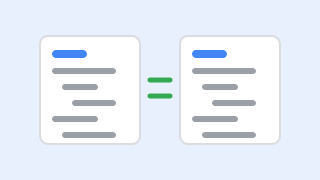
1:1 Native API Compatibility
Drop-in replacement for native
XSLTProcessor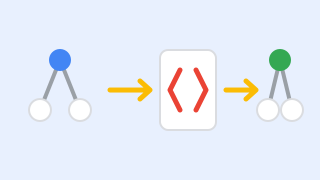
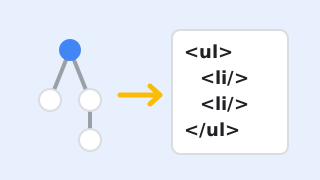
XSLT 1.0
Every element and function of the W3C XSLT 1.0 Recommendation, with the few gaps listed under Known Deviations
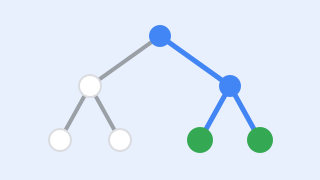
XPath 1.0 Engine
Built-in XPath evaluator with all core functions
xsl:outputSerializationtransformToString()honors method, indent, doctype, CDATA sections anddisable-output-escaping
Zero Dependencies
The library has no runtime dependencies; only the
xsltcommand line tool needsjsdom(an optional peer dependency)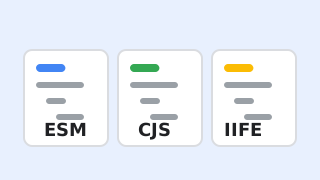
Multiple Formats
ESM, CommonJS, and browser IIFE bundles

TypeScript Support
Includes TypeScript declarations
Install
npm install @tradik/xslt-processor
The library itself has no dependencies. The xslt command line tool also
needs jsdom (an optional peer dependency, >=25), see CLI Usage.
Quick start: Browser via CDN (Recommended)
Use a CDN for the easiest browser integration - no build step required:
<!-- jsDelivr (recommended) -->
<script src="https://cdn.jsdelivr.net/npm/@tradik/xslt-processor@1/dist/xslt-processor.browser.min.js"></script>

<!-- or unpkg -->
<script src="https://unpkg.com/@tradik/xslt-processor@1/dist/xslt-processor.browser.min.js"></script>

<script>
  // XSLTProcessor is the native one, or this polyfill when native XSLT is unavailable
  const processor = new XSLTProcessor();

  // Load and transform XML
  const parser = new DOMParser();
  const xslt = parser.parseFromString(xsltString, 'application/xml');
  const xml = parser.parseFromString(xmlString, 'application/xml');

  processor.importStylesheet(xslt);
  const result = processor.transformToFragment(xml, document);
  document.getElementById('output').appendChild(result);
</script>
The bundle defines the global XsltProcessorLib (all module exports)
and calls installGlobal(): window.XSLTProcessor is replaced only when the
browser has no working native implementation. To always use this
implementation, call XsltProcessorLib.installGlobal(true) or use
new XsltProcessorLib.XSLTProcessor().
CDN URLs:
| CDN | URL |
|---|---|
| jsDelivr | https://cdn.jsdelivr.net/npm/@tradik/xslt-processor@1/dist/xslt-processor.browser.min.js |
| unpkg | https://unpkg.com/@tradik/xslt-processor@1/dist/xslt-processor.browser.min.js |
Tip: Use
@1for the latest 1.x version, or an exact version such as@1.1.3for pinning.
ES modules, CommonJS, Node.js and the xslt command line tool are covered in Getting started.
Guides
- Getting started
- Install the package and run a first transformation.
- API Reference
- XSLTProcessor methods, parameters, xsl:output serialization, module exports, XsltEngine options, TypeScript
- Loaders
- xsl:import, xsl:include and the document() function
- Complete Example
- A product list transformed into an HTML table (browser and CLI)
- Command Line Tool
- xslt options, base directory, includes, input encodings
- Conformance
- W3C compliance tables, supported elements and functions, known deviations, test coverage
- Security Limits
- XPath and XSLT limits, prototype pollution protection, input validation
- Browser Compatibility
- Minimum browser versions, native XSLT removal timeline, feature detection
- Benchmarks
- 1.1.3 vs 1.2.0: speed-up, time and peak memory per scenario, with charts, tables and npm run bench to reproduce
- Development
- Setup, tests, Docker, Makefile, publishing to npm
- Style Guide
- Project colors with WCAG 2.2 contrast ratios